You can use Markdown in Matterial to write beautiful, readable mathematical formulas in your document.
Here’s how it works:
- Start your formula with three backticks, followed by the word “math”.
- Write your formula with the KaTeX syntax
- Close your formula with three backticks in the next line and continue writing text.
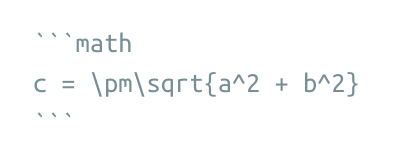
For example, this code
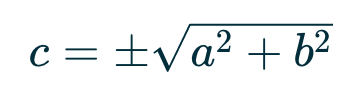
… becomes this formula
For the complete documentation and guide how to write mathematical formulas, please see the KaTeX supported functions, or try out the editor.
